Google My Business for Tradespeople UK: Complete Setup Guide 2026
Written by Tom Ellis · Senior Trades Editor
Last updated: August 2026
Quick Answer
Google My Business (now called Google Business Profile) is free and is the single highest-ROI marketing action a UK tradesperson can take. A verified profile means your business appears in Google Maps and local search results when customers nearby search for your trade. Setup takes 15 to 30 minutes; verification usually takes 3 to 5 days.
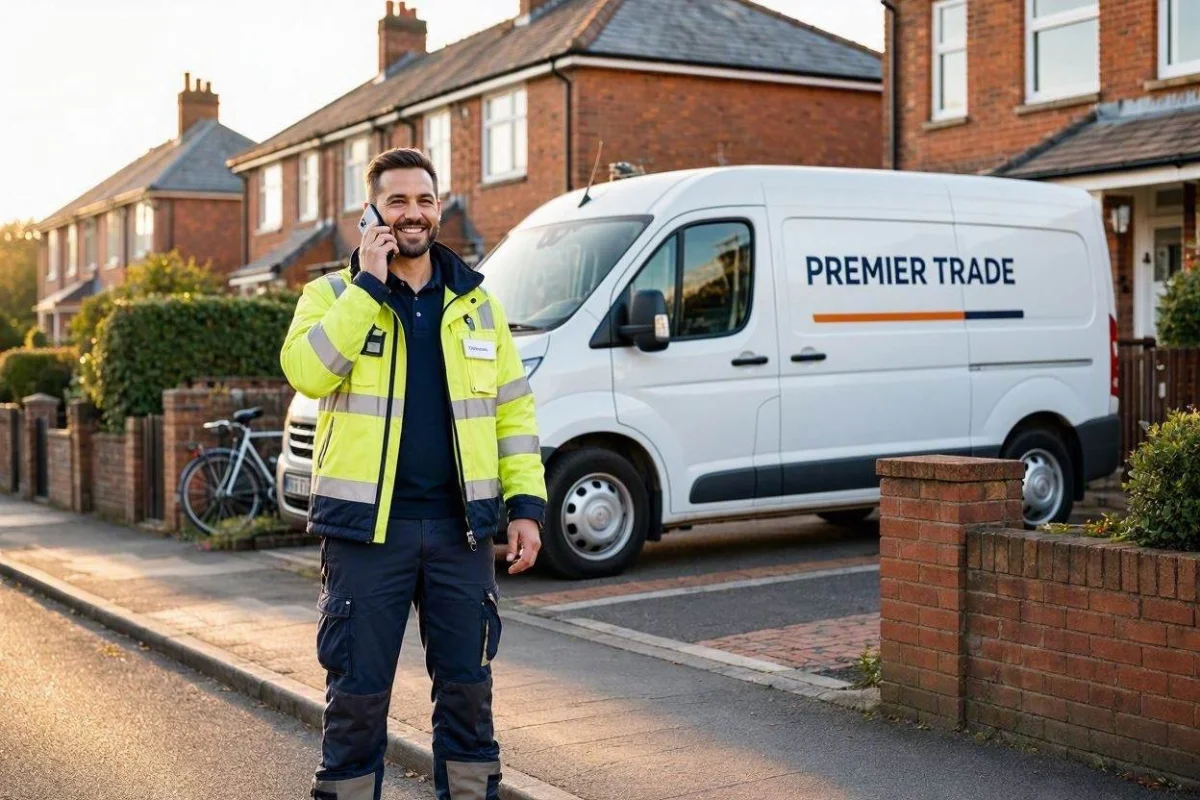
Why Google Business Profile matters for tradespeople
When a homeowner in your area searches for "electrician near me" or "plumber [town name]", the first thing they see is the local map pack: the block of three business listings that appears above the organic search results. These top three positions, known as the local 3-pack, capture 30 to 40% of all clicks on the results page, which is more than most paid adverts receive. If your business is not in that 3-pack, you are invisible to a large portion of customers who are ready to hire right now.
Unlike Google Ads, which cost money every time someone clicks, your Google Business Profile listing is free. It is also more trusted by consumers than paid adverts, because appearing in the map pack is seen as an organic endorsement rather than a purchased placement. For a tradesperson with a limited marketing budget, there is no better return on a few hours of setup time.
The profile also acts as a mini-website on Google itself: customers can see your phone number, read reviews, view photos of your work, check your opening hours, and get directions, all without leaving Google. For many customers, especially those searching on a mobile phone, your profile may be the only page about your business they ever visit. Getting it right matters.
For a broader guide to getting more customers as a tradesperson, see the how to get more customers guide.
Step-by-step: how to set up your Google Business Profile
- Go to business.google.com. Sign in with your Google account (or create one if you do not have one). Click "Add your business" to start the process.
- Enter your business name. Use your actual trading name as it appears on your van, invoices, and other materials. Do not add keywords to the business name field (for example, do not write "Dave's Plumbing - Best Plumber London"). Google treats this as spam and can suspend your profile.
- Choose your business category. This is the most important setting on the entire profile. Choose the most specific category that describes your primary trade. You can add secondary categories after the initial setup.
- Add your location or service area. If you operate from a fixed premises (a workshop, yard, or shop), add your address. If you work from home or travel to customers, select "I deliver goods and services to my customers" and set your service area instead. See the section below on Service Area Businesses for detail on this.
- Add your phone number and website. Use a phone number you actually answer. If you have a website, add it. If you do not have one yet, you can leave this blank and add it later.
- Set your opening hours. Be accurate here. Customers who call outside your stated hours and get no answer will leave frustrated. It is better to set realistic hours than to claim you are available 24/7 when you are not.
- Verify your profile. Google will offer you one or more verification methods. The postcard method, where Google sends a PIN to your address, takes 3 to 5 days. Video verification, where available, can be done in a few hours. Until verified, your profile has limited visibility.
Service Area Businesses: tradespeople who travel to customers
Most tradespeople are what Google calls a Service Area Business (SAB): you go to the customer rather than the customer coming to you. This means you do not need to display your home address publicly on Google Maps. When setting up your profile, select "I deliver goods and services to my customers" and Google will ask you to define your service area.
You can define your service area by towns, cities, postcodes, or counties. Google recommends adding areas within about 2 hours of your base, though you can be more specific. Adding too large a service area (for example, "all of England") dilutes your local relevance. It is better to list the specific towns and areas where you actually work regularly.
You can still add your business address during the setup process (so Google can verify you), but then choose to hide it from public view. This is the recommended approach for tradespeople working from home who do not want their home address displayed on a public map.
Choosing the right primary category
Your primary category is the single biggest signal Google uses to decide which searches your profile is relevant for. Be as specific as possible. If you are an electrician, choose "Electrician" rather than the broader "Contractor". If you are a gas engineer, choose "Gas Engineer" or "Heating Contractor" rather than just "Plumber".
After setting your primary category, you can add up to 9 secondary categories to reflect additional services. For example, a plumber might add "Bathroom Remodeler", "Heating Contractor", and "Drain Cleaning Service" as secondary categories. These secondary categories help you appear in a wider range of searches without diluting your core relevance.
Common primary categories for UK tradespeople include: Electrician, Plumber, Builder, Roofer, Carpenter, Painter (painting contractor), Gas Engineer, Heating Contractor, Tiler, Landscaper, and HVAC Contractor.
Adding services and products to your profile
Google allows you to list specific services within your profile. This is an important but often overlooked step. Rather than just saying "Plumber", list your actual services: boiler installation, boiler service, radiator replacement, bathroom installation, leak detection, emergency callouts. Each service you add helps Google understand what you offer and which specific searches to show your profile for.
For each service, you can optionally add a price or price range and a short description. A brief, accurate description of the service adds context for customers reading your profile. Keep descriptions factual: "Full boiler replacement including system flush, new controls, and Gas Safe certificate." Avoid keyword-stuffed descriptions, which Google may filter out.
Getting and responding to reviews
Reviews are one of the most significant ranking factors in Google's local algorithm. Profiles with more reviews, and higher average ratings, consistently outrank competitors with fewer reviews, all else being equal. Reviews also convert: a customer choosing between two plumbers will almost always contact the one with 47 reviews at 4.8 stars over the one with 3 reviews at 4.0 stars.
The most effective way to get reviews is to ask for them directly, immediately after completing a job the customer is happy with. Send a direct link to your Google review page via text or WhatsApp so the process is as easy as possible for the customer. For a complete guide to building your review count, see the 5-star reviews guide for tradespeople.
Always respond to reviews, both positive and negative. Responding to a positive review takes 30 seconds and signals to future customers that you are attentive and professional. Responding to a negative review calmly and constructively demonstrates that you take customer feedback seriously. Google also considers owner response activity as a signal of business engagement.
Adding photos to your profile
Photos are a powerful ranking and conversion factor. Google's own research shows that profiles with photos receive 42% more requests for directions and 35% more website clicks than those without photos. For a tradesperson, photos also act as a portfolio: before and after images of completed work, photos of your van, team shots, and pictures of tools or specialist equipment all build trust with potential customers.
Aim to add at least 10 photos when you first set up your profile, and continue adding new ones regularly. Fresh photos signal to Google that your profile is actively maintained. Photos should be well lit and in focus. Smartphone photos are perfectly acceptable as long as they are clear and taken in good conditions. Avoid stock photos or graphics: customers and Google both prefer genuine images of your actual work.
Set a cover photo that represents your business clearly: this is the image that appears most prominently when customers find your profile. A photo of a completed job, your sign-written van, or you working on a site are all good choices.
Using Google Posts to stay visible
Google Posts allow you to publish short updates directly on your business profile. These posts appear in the knowledge panel when customers find your listing. Posts expire after 7 days, so the intent is to share timely content regularly rather than set-and-forget updates.
For tradespeople, effective post ideas include: seasonal offers (annual boiler service for a fixed price, spring exterior painting deal), completed project showcases ("Just finished a full bathroom renovation in [town], here are the results"), safety reminders that position you as an expert, and service announcements. Each post can include a photo and a call-to-action button linking to your website or phone number. Posting once or twice a month is enough to keep the activity signals positive.
Using the Q&A section
Your Google Business Profile has a Q&A section where anyone can post questions and anyone can answer them. This is a risk as well as an opportunity: if you do not pre-populate it, customers or even competitors might post questions and answer them inaccurately.
The smart approach is to post your own questions and answer them. Think of the questions customers most commonly ask before hiring you: "Are you Gas Safe registered?", "Do you provide written quotes?", "Do you cover [area]?", "Are you fully insured?". Write the question yourself using a Google account, then answer it from your business account. This gives you control over the information customers see and adds useful content to your profile.
Tracking your profile with Google Insights
Google Business Profile includes a free analytics section called Insights (now called "Performance" in the updated interface). This shows you how many people found your profile, what search terms they used, how many clicked to call you, how many asked for directions, and how many visited your website.
These numbers are valuable for understanding what is working. If your profile is getting 200 views per month but only 5 calls, your profile needs to convert better, which usually means more reviews and better photos. If you are getting very few views, your category or service area settings may need reviewing. Check your Insights once a month as part of your basic business admin.
Common mistakes tradespeople make on Google Business Profile
Keyword stuffing the business name
Writing "Dave's Plumbing - Emergency Plumber Manchester - Boiler Repair" as your business name is against Google's guidelines and can result in your profile being suspended. Use your real trading name only.
Choosing a vague category
Selecting "Contractor" or "Home Improvement Store" instead of your specific trade reduces your relevance for the searches that actually matter. Always choose the most specific category available.
Not responding to reviews
Ignoring reviews, particularly negative ones, damages both your ranking and your reputation. Every review deserves a response. Even a short "Thank you, it was a pleasure working for you" on a positive review adds engagement signals to your profile.
Leaving the profile static after setup
Setting up your profile and then never updating it is a missed opportunity. Add new photos regularly, post updates, respond to reviews, and keep your hours current. Activity signals matter for ranking.
Setting too large a service area
Claiming to serve the whole of England or multiple counties when you mainly work within a 20-mile radius dilutes your local relevance. Google rewards profiles that are genuinely relevant to the searcher's location.
Frequently asked questions
Is Google Business Profile free for tradespeople?
Yes, Google Business Profile is completely free to set up and maintain. There are no subscription fees or listing charges. It is one of the most cost-effective marketing tools available to UK tradespeople.
How long does verification take?
Verification typically takes 3 to 5 days via the postcard method, where Google mails a PIN to your address. Video verification, where available, can be completed within a few hours. Until your profile is verified, it has limited visibility in search results.
Should a tradesperson show their home address on Google?
Not necessarily. If you work from home or travel to customers, you can hide your physical address and set a service area instead. This is the recommended approach for most tradespeople who do not have a commercial premises customers can visit.
What is the best category for my trade?
Choose the most specific category that matches your primary trade. "Electrician" is better than "Contractor"; "Plumber" is better than "Home Improvement". You can add secondary categories to reflect additional services after initial setup.
How many reviews do I need to appear in the local 3-pack?
There is no fixed number. Most tradespeople find that 10 or more reviews with a rating above 4.5 stars is enough to appear regularly in the local 3-pack for their trade. Having more reviews than local competitors is a consistent advantage.
Do photos really make a difference to my ranking?
Yes. Google's data shows that profiles with photos receive significantly more calls and clicks than those without. Aim for at least 10 photos of your work, team, and vehicle, and add new photos regularly to show your profile is actively maintained.
Related guides for tradespeople
Keep on top of your jobs, quotes, and invoices
Sleepless Tradesman is the free app built for UK tradespeople. Manage your jobs, send professional invoices, and track payments in one place.
Try Sleepless Tradesman free